Screen Mask

Screen Mask cuts down visual distraction while reading, with a choice of mask, ruler or underline in dyslexia-friendly colors.

What this feature does:

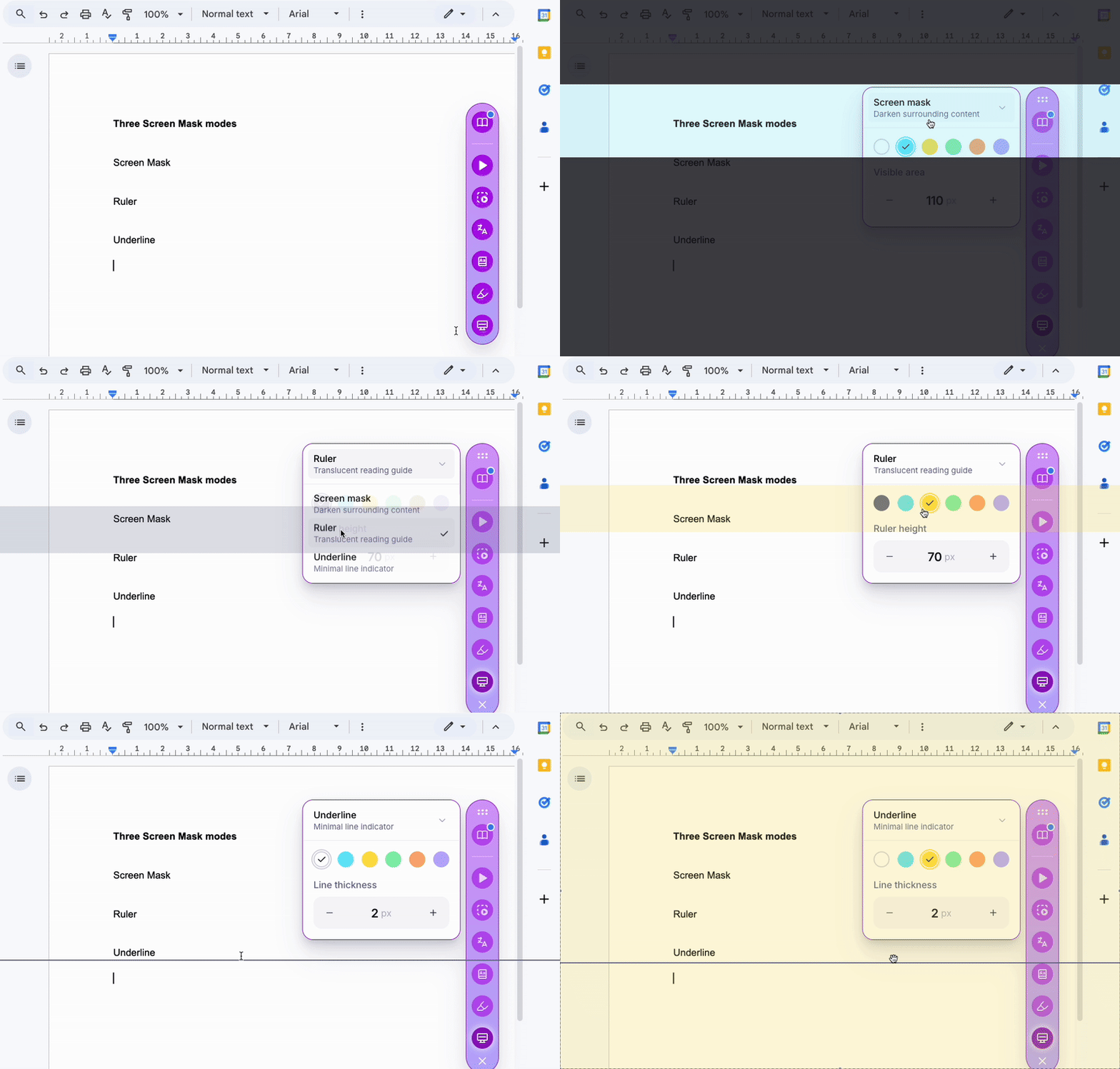
Screen Mask helps a student focus while reading by cutting down visual distraction, and the focus moves down the page with the reader. It offers three modes:

  • Mask: dims the page around a single line of text.
  • Ruler: a reading ruler that tracks the line you are on.
  • Underline: a line under the text you are reading.

The color can be set from a range of dyslexia-friendly options, so the support fits the reader. It works on any webpage, in Google Docs, and on digital reading materials.

Why it matters:

  • Supports students with attention deficits or visual processing issues by reducing visual distractions
  • Helps students with dyslexia maintain reading flow and focus
  • Provides visual structure that benefits learners who need support organizing or tracking text

MTSS:

  • Tier 2: Essential support for students with visual processing or attention challenges

UDL Principles:

  • Multiple means of representation: customizes how content is displayed for better accessibility

Did you know...?

Use Screen Mask with any webpage, Google Docs, or digital reading materials. Combine with Read Aloud for enhanced multimodal support.

Try it yourself

  1. Click the Mote extension icon to open the Chrome Extension.
  2. Go to Reading Mode.
  3. Select Screen Mask.
  4. Choose the mode: mask, ruler or underline.
  5. Choose a dyslexia-friendly color.
  6. Move the focus down the page with the arrow keys or the mouse as you read.

Explore Related Mote features

Try Mote for free

No card required

© Mote Technologies, Inc. 2026. Brought to you with 💜 from our global team.